 Snapfind
From "I saved it somewhere" to found, in seconds.
Setting up takes under a minute. After that, Snapfind stays quietly in the menu bar and keeps up with every new screenshot.
Pick your folders.
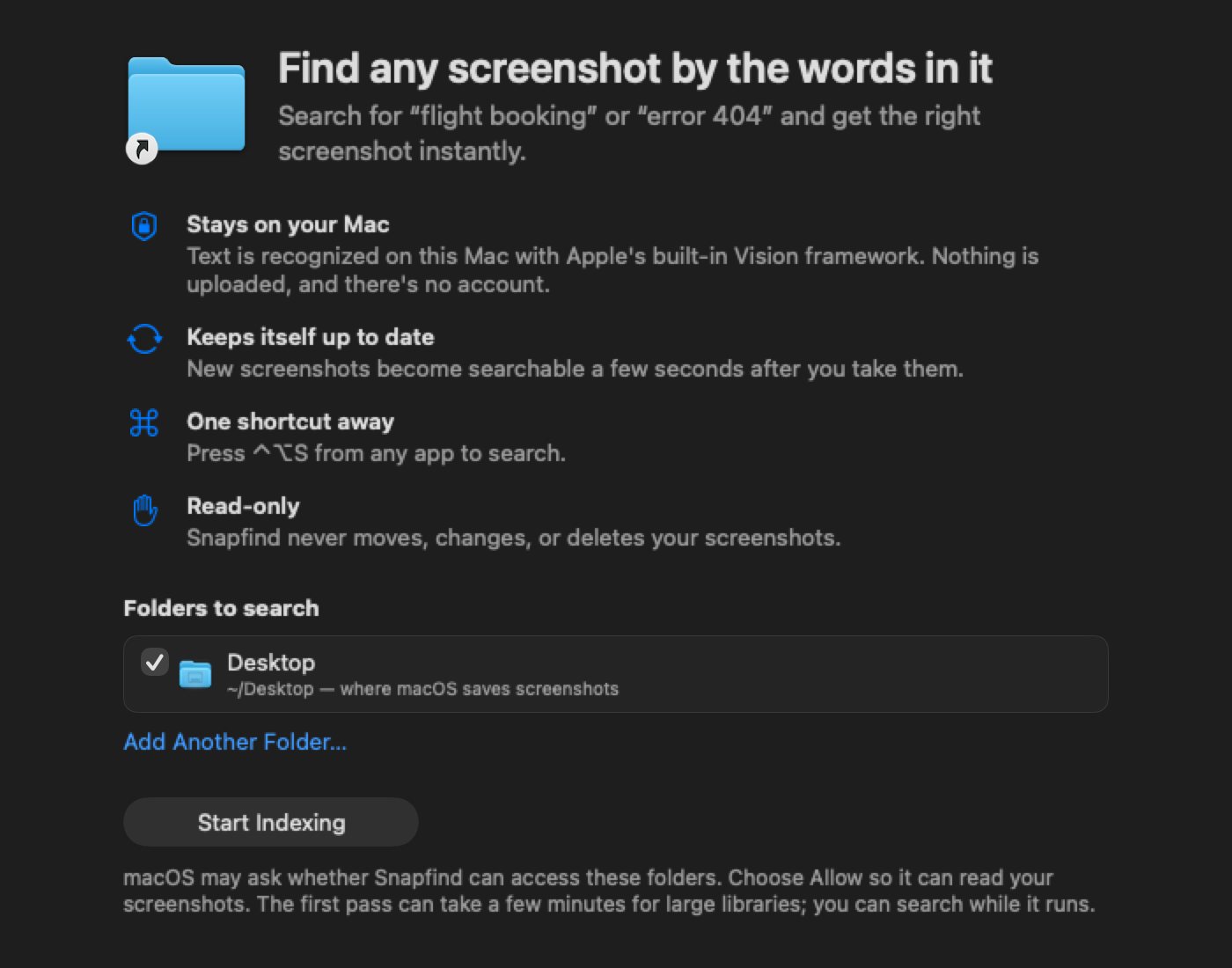
On first launch, Snapfind finds the folder macOS saves screenshots to, usually your Desktop, and your Pictures › Screenshots folder if you have one. Untick anything you don't want, or add another folder.
Click Start Indexing. macOS may ask whether Snapfind can read your Desktop. Choose Allow.
Snapfind reads the text.
It uses Apple's Vision text recognition, the same technology built into macOS, and it runs entirely on your Mac.
Newest first
Your latest screenshots are read first, and the status bar shows progress as it goes.
Search while it works
Everything read so far is already searchable. Pause and resume whenever you like.
Then it keeps up
Once the first pass is done, new screenshots are ready a few seconds after you take them.
Type what you remember.
Press ⌃ ⌥ S from any app and start typing. These tricks help when you only remember a little.
| You type | Snapfind finds |
|---|---|
boo | Any word starting with "boo", like "booking" or "book" |
fli book | Screenshots with both words, like "flight booking" |
"error 404" | That exact phrase, words next to each other |
invoice + Past 30 days | Only invoices from the last month, using the date menu |
| Nothing at all | All your screenshots, newest first |
What happens behind the scenes.
A private index on your Mac
The recognised text is kept in a small search index in your user Library. It's derived data, so deleting it is always safe.
Your files are only read
Snapfind never moves, renames, changes or deletes a screenshot.
iCloud-aware
If "Optimize Mac Storage" moved a file off your Mac, Snapfind skips it instead of downloading it, and indexes it once it's back.
Many languages
Recognition detects the language automatically, including English, French, German, Spanish, Chinese, Japanese and Korean.
Your screenshots, searchable in minutes.
Install Snapfind, pick your folders and start typing. Every plan starts with a 14-day free trial.